Free · Works with any Framer project

Bring Framer designs into AI coding tools.

Export any Framer component as a self-contained React package. Get an AI-ready prompt. Paste into Claude, Cursor, or Lovable. Done.

Works with

Claude CodeClaude Code
CursorCursor
LovableLovable
v0v0
The Problem

Getting Framer designs into code is painful

You designed something beautiful in Framer. Now you need it in your React app. The old way:

  • ×Manually recreate the component from scratch
  • ×Copy CSS values one by one
  • ×Lose animations and interactions
  • ×Spend hours on what should take minutes
The Solution

One click. AI does the rest.

Framer to AI exports your component as a complete React package with TypeScript types and an AI-ready prompt.

Paste the prompt into your AI coding tool. It knows the props, the variants, the breakpoints. It writes the integration code for you.

How It Works

Three steps. Under a minute.

No manual recreation. No CSS copy-pasting. Just export, paste, and let AI handle the integration.

01. Select

Select in Framer

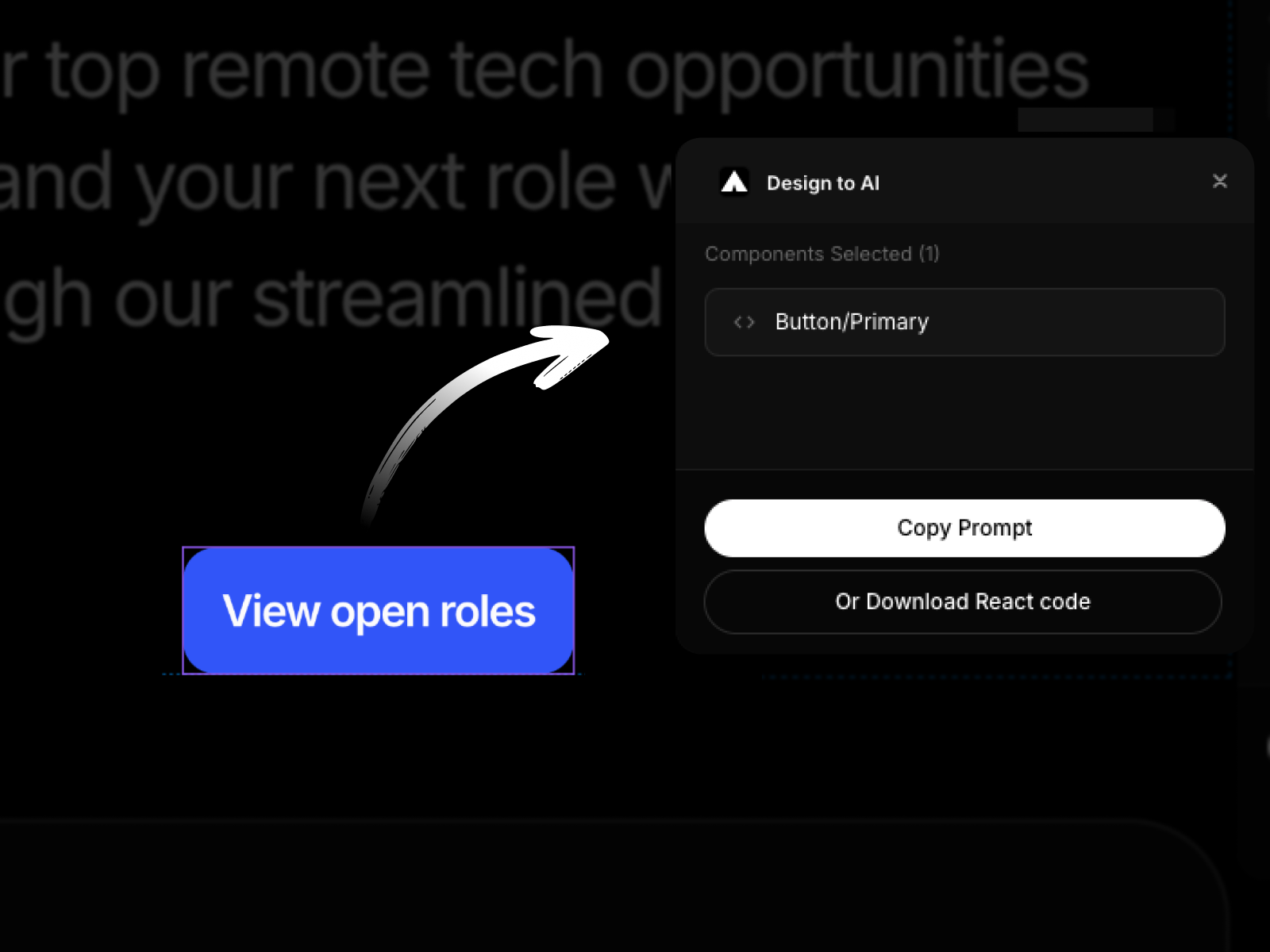
Open any Framer project. Select the component you want to export. Click the Framer to AI plugin.

02. Export

Export the Component

Click Export. The plugin bundles your component with all its dependencies. Copies an AI prompt to your clipboard. Downloads the code as a ZIP.

03. Paste

Paste into AI

Extract the ZIP into your project. Paste the prompt into Claude, Cursor, or Lovable. Tell the AI what you want. It integrates the component for you.

Features

Everything you need, nothing you don't.

100% Visual Fidelity

Your exported component looks exactly like it does in Framer. We use Framer's actual code, not a recreation.

AI-Ready Prompt

Every export includes a prompt with TypeScript types, import paths, and usage examples. Your AI knows exactly how to use the component.

TypeScript Types

Full TypeScript definitions generated automatically. Your AI assistant sees every prop, variant, and event handler.

Responsive Breakpoints

Desktop, tablet, mobile variants work out of the box. Use the Responsive wrapper for automatic switching.

Self-Contained

No dependencies beyond React and framer-motion. Drop the folder into any React project. It just works.

Multi-Component Export

Export multiple components at once. Shared runtime means no duplicate code.

Demo

See it in action

Demo video coming soon

From Framer to Claude Code in 30 seconds

For Vibecoders

Built for vibecoders

You design with Framer. You code with AI. You don't want to manually translate designs into code. You want to describe what you need and let the AI build it.

Framer to AI is the bridge.

Your designs become context for your AI. Your AI becomes a developer who already knows your design system.

I designed a hero section in Framer, exported it, and had Claude integrate it into my Next.js app in under a minute.

FAQ

Is it free?+

Yes. Framer to AI is free to use.

Does it work with any Framer project?+

Yes. Any project with code components can be exported. Design components (non-code) are not yet supported.

What AI tools does it work with?+

Any AI coding assistant that can read files — Claude Code, Cursor, Windsurf, Lovable, Bolt, v0, or any tool where you can paste a prompt.

Do I need to install anything in my project?+

Your project needs React and framer-motion as dependencies. The exported component includes everything else.

Does it support responsive designs?+

Yes. If your Framer component has Desktop, Tablet, and Mobile variants, the export includes a Responsive wrapper that automatically switches based on viewport.

What about animations?+

Animations work. The export uses Framer's actual runtime, so all animations and interactions are preserved.

Can I export multiple components?+

Yes. Select multiple components and export them together. They share a single runtime file to keep the bundle small.

What if my component has custom fonts?+

Font references are preserved. Make sure the fonts are available in your project (via Google Fonts, local files, etc.).

Ready to bring your Framer designs into AI?

Install the plugin. Export your first component in 30 seconds.

Free · No account required